
Your app can post to LinkedIn with a picture
Ask Vibes DIY for "a composer where I write one update, add a photo, and post it to my LinkedIn," and you get an app that does exactly that. Anyone who opens it connects their own LinkedIn, writes the update, adds a picture, and presses Post. A moment later the app shows a link to the live post on their feed.
One composer, your own accounts
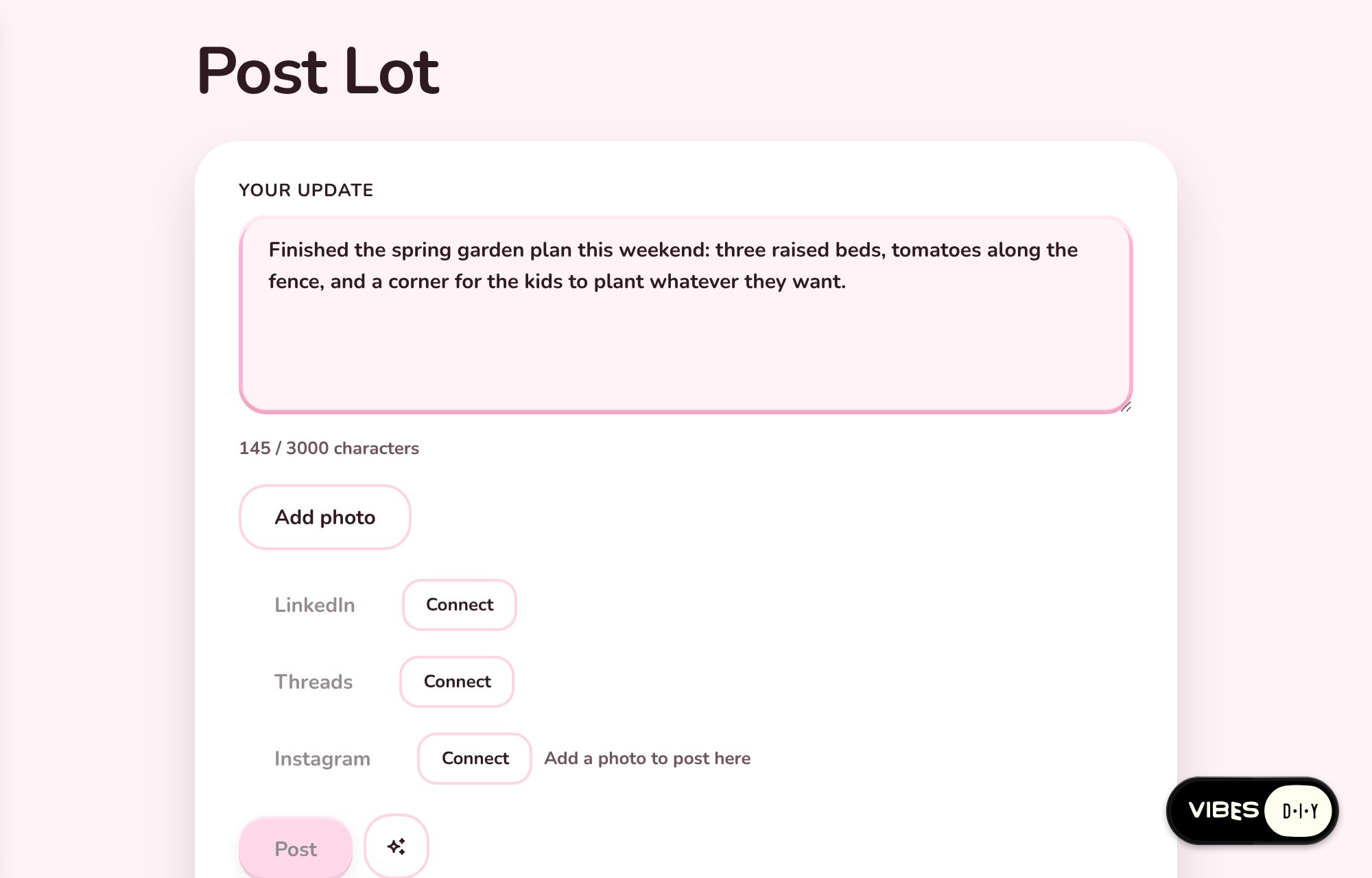
Here is Post Lot, built from one sentence. Connect LinkedIn, write the update, add a photo, and press Post. LinkedIn answers on its own row with a link to the live post, so you always know where your update landed.
Every visitor brings their own account. Nobody pastes a token, and the person who made the app never sees anyone's credential. The Connect button opens a card that names the app, quotes its reason in plain words ("Post your update to your LinkedIn feed when you press Post"), and lets the visitor decide. LinkedIn is open to everyone today, so any app you make can post for anyone who opens it.
Get posts like this in your inbox
One email field. Real updates. No algorithm required.
Pictures come along
A photo makes a post. The app saves the picture at a public web address, and the platform uploads it to LinkedIn for the person posting. LinkedIn takes JPEG, PNG or GIF, up to 8 MB.
Renewing takes a moment
A LinkedIn connection lasts about 60 days. As the end gets close, the app shows a Renew button next to "Connected as", and the platform sends reminders. Press Renew, confirm the connection, and sign in to LinkedIn if it asks.
Make one
Start from a sentence about something you already write:
Make a weekly wins log where I jot down what went well, and a Share button posts this week's list to my LinkedIn.
Build a drafts board where I write LinkedIn posts, polish them, and post the best one with a photo.
Or open Post Lot and remix it into the composer your team wants: a launch-day announcer, a conference photo sharer, a weekly update the whole group posts from.
The details, every scope and the builder's own recipe are in the docs: Works with LinkedIn, Connect accounts and the post as you skill.