Share the care from the family group text
When a family looks after someone together, a parent home from the hospital or a brand-new baby, the group text becomes the care plan. Who's driving to Tuesday's appointment? Did she get her evening meds? When did the baby last eat? Care Circle is a ready-made app that keeps those answers in one place, and the family keeps texting the way it already does.
What the family texts
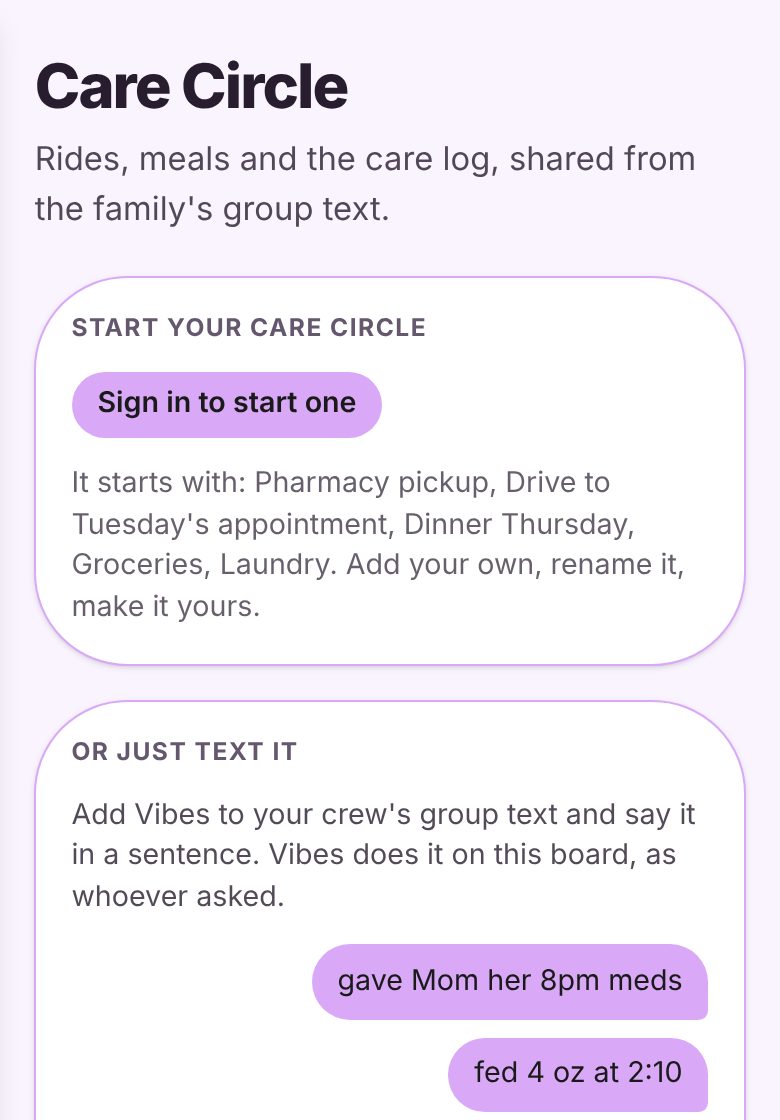
Care Circle starts with a few jobs most families share out (pharmacy pickup, a ride to an appointment, a dinner, groceries, laundry) and a care log anyone can add to. Each of these is a sentence in the chat:
- "gave Mom her 8pm meds"
- "fed 4 oz at 2:10"
- "I'll drive Dad to Tuesday's appointment"
- "I'll bring dinner Thursday"
- "picked up the prescription"
- "when did she last have her meds?"
- "what's still open this week?"
Vibes answers in the thread. "Gave Mom her 8pm meds" goes in the log with your name and the time. "When did she last have her meds?" finds the newest line that names them and says who logged it and how long ago it was logged, so the sibling arriving for the night shift knows where things stand before they walk in. Put the time in the text ("gave Mom her meds at 8") and it stays with the line.
Get posts like this in your inbox
One email field. Real updates. No algorithm required.
One log, everyone's hands
Each text from a family member whose phone is linked to Vibes is done as that person, so the log reads like a shift handoff: what happened, who did it, when. Jobs work the same way. "I'll bring dinner Thursday" puts your name on it, and "what's still open?" tells the family what nobody has yet, with the newest line of the log at the end.
Only people on the circle can read it. Whoever starts it is on it, and anyone signed in who has its link can join, by opening it or texting it for the first time, so share the link with the family and nobody else. The care log is the family's own notes, kept for the family. It's a shared notebook, and the doctor's instructions stay the guide.
Set it up in two texts
- Tap the button below and type one family member's number. Messages opens a group text with them and Vibes on it, and Care Circle's link in the first line. Add the rest of the family there and send. Vibes runs on iMessage today.
- Say "vibes, start a care circle for Mom". Vibes sends back the circle's link and the jobs it starts with.
From then on, anyone in the family can text it. If Vibes ever asks which circle, paste its link once.
Add Vibes to your family's chat
Type one family member's number and Messages opens with them and Vibes on the text. Add the rest there and send.
Add Vibes to your crew's chat ↑Make it your own
Care Circle is a starting point. A new-baby circle might want feeds, diapers and naps as their own lists; a family caring for a grandparent might want a visit schedule. Open Care Circle, make a copy, and tell Vibes what your family needs. Each text verb is a tool in the app's backend, and your app has a backend covers how to add your own. Vibes in a group chat covers who Vibes acts as, what it can see, and how "vibes privacy" spells it out in the chat.
This post is part of a series on routines a group can run from a group text, alongside the restaurant shift and the team parents' chat.