Run your restaurant shift from a group text
At close, nobody on the line has a free hand for an app. They have a rag, a squeegee, a drawer to count. What they do have is the crew's group text, already open on every phone. Shift Board is a ready-made app that lives in that chat: the cook texts what got done, and the board keeps the list for everyone.
What the crew texts
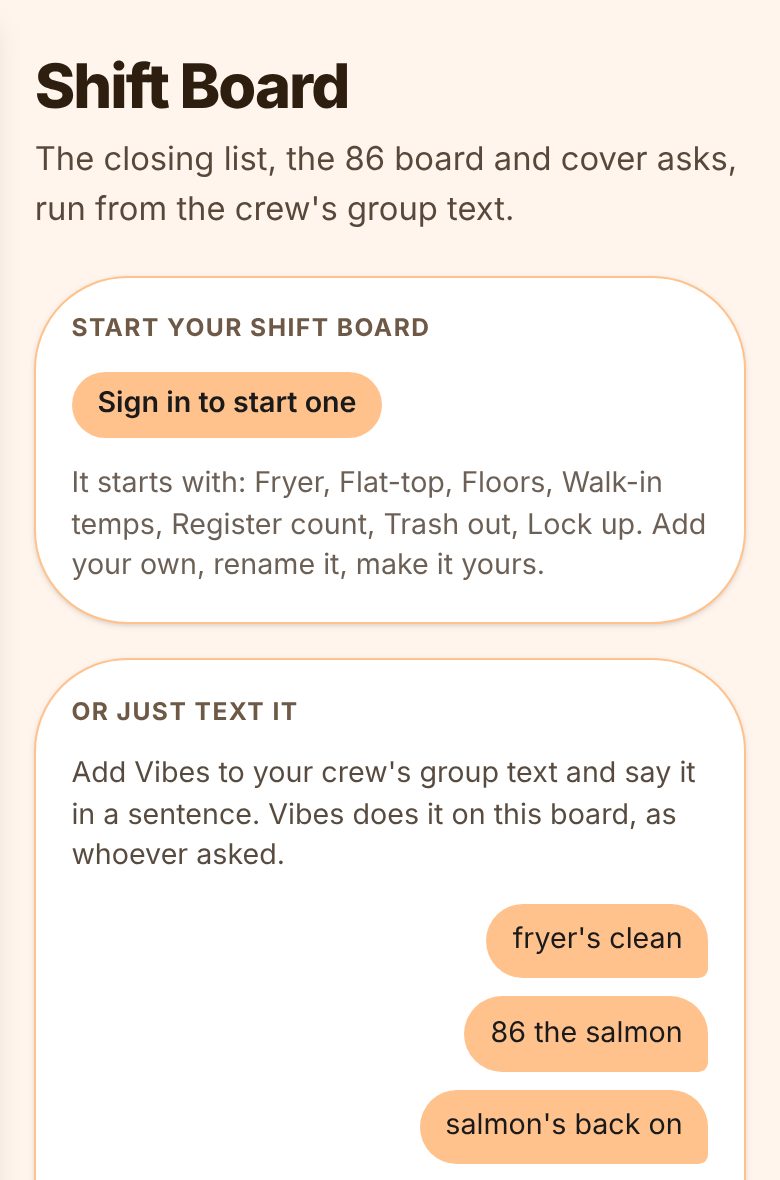
Shift Board starts with a standard closing list (fryer, flat-top, floors, walk-in temps, register count, trash, lock up) plus two running lists every kitchen keeps in someone's head: what's 86'd, and which shifts need a cover. Every one of these is a sentence in the chat:
- "fryer's clean"
- "floors done"
- "86 the salmon"
- "salmon's back on"
- "who can cover my Friday close?"
- "I'll take Friday"
- "what's left before we lock up?"
Vibes answers in the thread. "Fryer's clean" gets back "Fryer: done. 6 left: Flat-top, Floors, Walk-in temps, Register count, Trash out, Lock up." "What's left?" gets the open jobs, the 86 list and any shift still waiting for a cover, in one text.
Who did what, without asking
Each text from a crew member whose phone is linked to Vibes is done as that person. A crew member who hasn't linked their phone to a Vibes account gets a sign-in link from Vibes the first time; until they link, Vibes may do it as the group instead. When the closer says "lock up done", the board shows their name and the time beside Lock up. When someone asks for a cover, their name goes on the ask, and the person who says "I'll take it" goes on as the cover. The manager reads the night from the board the next morning without a single follow-up text.
Get posts like this in your inbox
One email field. Real updates. No algorithm required.
The page works too. Anyone on the crew can open the board's link and tap Done, add a job, or take a cover. The chat and the page are the same list, so it stays right whichever one people use.
Set it up in two texts
- Tap the button below and type one crew member's number. Messages opens a group text with them and Vibes on it, and Shift Board's link in the first line. Add the rest of the crew there and send. Vibes runs on iMessage today.
- Say "vibes, start a shift board for Friday close". Vibes sends back the board's link and the closing list it starts with.
From then on, anyone on the crew can text it. The first time someone does, Vibes puts them on the board. Only people on the board can see it, and its link is the way on, so share it with the crew and nobody else. If Vibes ever asks which board, paste its link once. Add your own jobs ("add restock the bar") and the list becomes your kitchen's list.
Add Vibes to your crew's chat
Type one crew member's number and Messages opens with them and Vibes on the text. Add the rest there and send.
Add Vibes to your crew's chat ↑Make it your own
Shift Board is a starting point. Your bar might run an opening list instead of a close, or track a pour count, or keep a prep list by station. Open Shift Board, make a copy, and tell Vibes what your crew does differently. Each text verb is a tool in the app's backend, and your app has a backend covers how to add your own. Vibes in a group chat covers who Vibes acts as and what it can see.
This is the second post in a series on routines a crew can run from a group text. The first, Run your team's routine from a group text, covers five more.