
Make an app for your GitHub repo
Open a pull request, and a minute later your own app has read it and left a review. You described that app in a sentence. It has its own page, where you see every pull request it has checked, and its comments show up on GitHub right where your team already reads them.
That is what a vibe can do with a GitHub repo now. The docs page, Works with GitHub, has the setup and starter prompts.

Three steps
- Describe the bot. "Review each pull request on my repo and point out any English sentence that would be funnier in pig Latin" is a complete app request. Vibes DIY writes the page, the backend that hears GitHub, and the Connect button.
- Connect a repo. Press Connect and tick the repos this app gets. As the app's owner you go straight to GitHub. Anyone else who connects a repo of theirs first sees a vibes.diy page with your app's one-sentence reason and every permission it asks for, in plain words.
- Open a pull request. GitHub tells the app the moment it opens or updates, and the app posts its review back to the pull request.
The platform's GitHub App holds the GitHub credential, so your vibe carries no key of its own. Each app gets exactly the repos you chose for it.
A fun one and a useful one
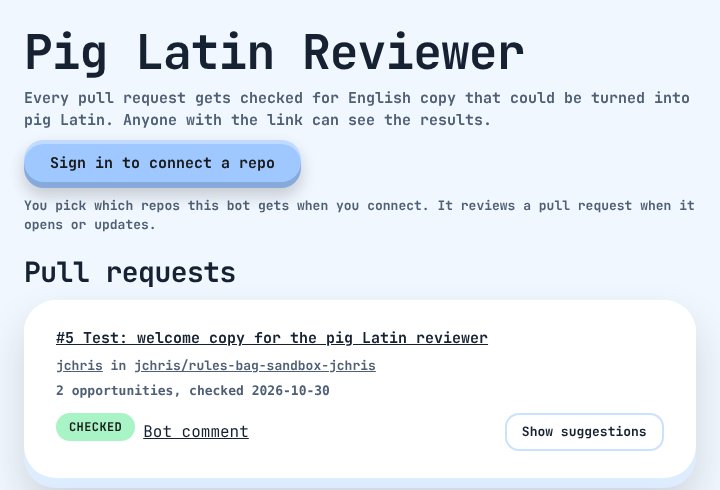
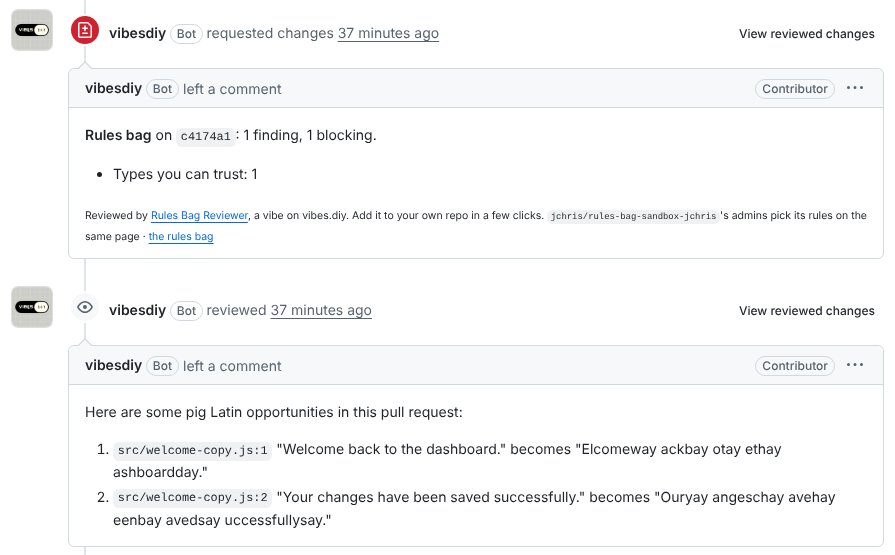
The Pig Latin Reviewer reads the English copy in each pull request and suggests how it would sound in pig Latin. On a test pull request it found two lines and posted them as a review: "Welcome back to the dashboard." becomes "Elcomeway ackbay otay ethay ashboardday."
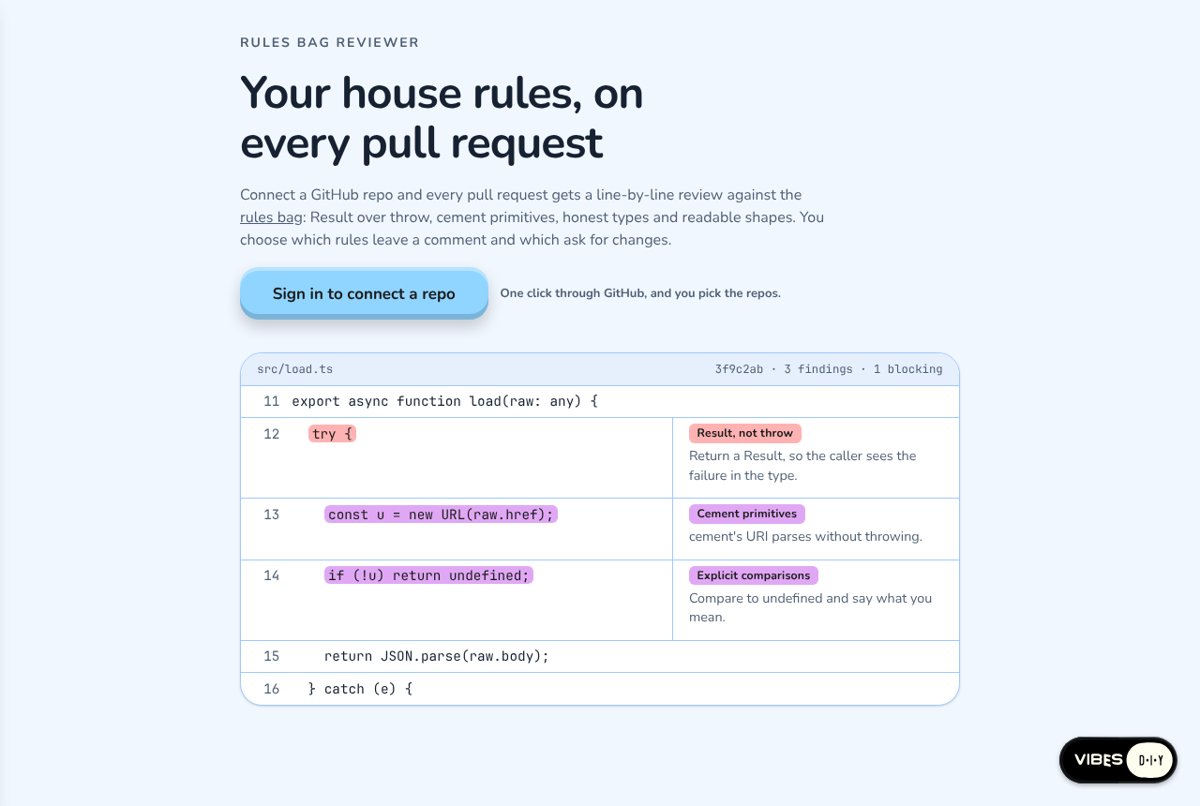
The Rules Bag Reviewer checks each pull request against a shared set of coding rules: return a Result rather than throwing, use the shared primitives, keep types honest, say what a comparison means. It leaves a comment on each line it has a note for, and the repo's admins choose which rules just comment and which ask for changes.
Get posts like this in your inbox
One email field. Real updates. No algorithm required.
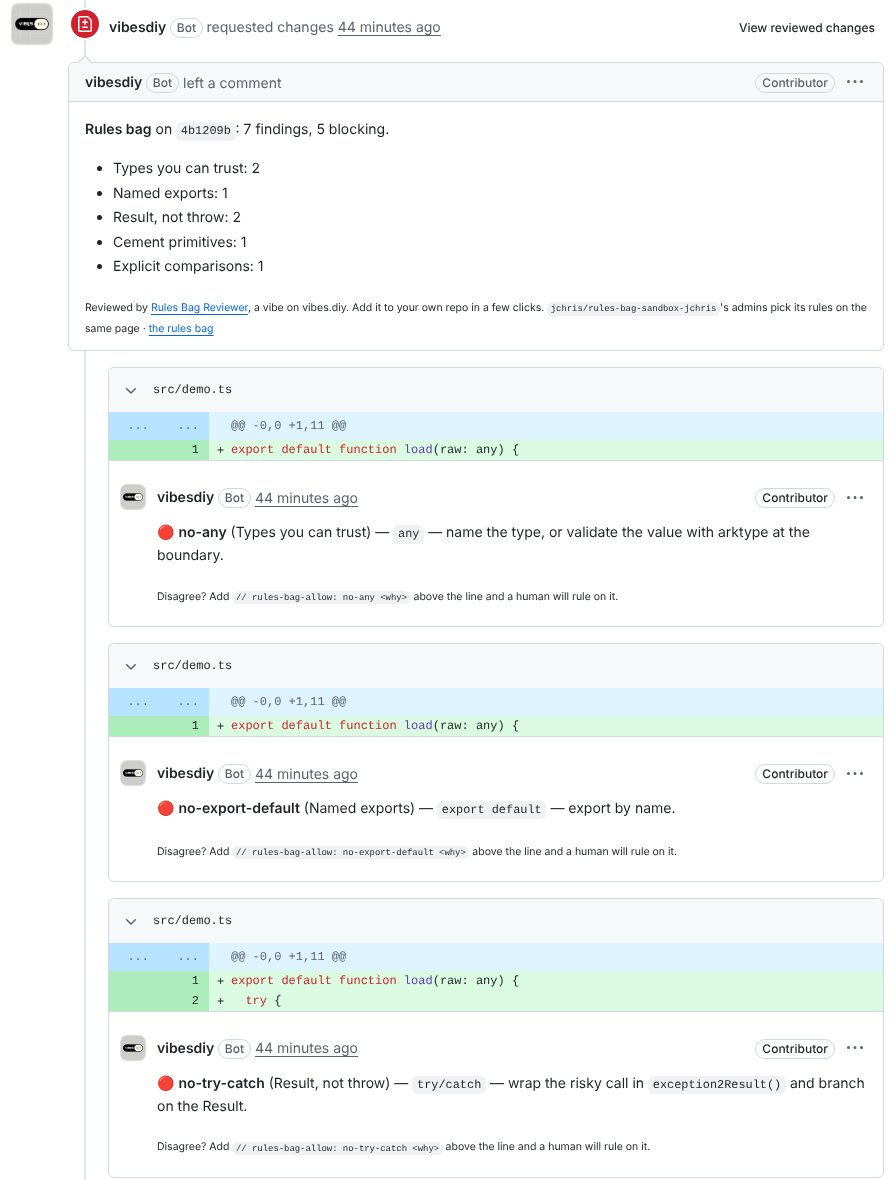
On GitHub, the review reads like one from a teammate. A summary counts the findings by rule, and each note sits on its line in the diff with the suggested fix.
Each note ends with a way to push back. Add // rules-bag-allow: <rule> <why> above the line, and the next review lists the exception for a human to rule on, instead of flagging the line again.
Both apps can answer the same pull request. Each one hears the repo through its own connection and posts its own review.
You stay in charge
- You pick the repos. Connecting a repo to one app leaves your other apps as they were. Press Connect again to add or remove one.
- Your team comes first. A review bot starts by answering pull requests from the repo's owners, members and collaborators. Anyone else's waits on the app's page for you to press Review it now, until you flip the switch that opens it to everyone.
- Pause and catch up. Each connected repo has a Pause switch on the app's page, and a Review it now box picks up a pull request that opened before you connected.
- Everything links home. Each repo, pull request, person and review the app shows opens on GitHub in a new tab, so you read the code where it lives.
More you can make
The same connection reads code, commits, issues, labels, check results and Actions logs, and it can comment, label, mark a commit passing or failing, or open a pull request of its own. A few ideas:
- A friendly note on each new pull request that says how big the change is.
- An issue sorter that suggests a label for each open issue and applies it with one tap.
- A page that reads a failed CI run's log and explains it in a sentence.
- A setup helper that adds a linter workflow to a repo by opening a pull request with it.
- A guestbook where visitors sign in with GitHub and their avatar and bio show next to their note.
Your turn: make one that spreads
We want to see the GitHub vibe people pass around. Here's one to get you going: a bot that draws a fresh SVG of a penguin riding a bicycle on every pull request, a little different each time, so every merge comes with a portrait.
Make a GitHub bot that comments on each new pull request with an SVG drawing of a penguin riding a bicycle, styled after the pull request's title.
Try it, remix it, or make something stranger, and show us in Discord. We will feature our favorites.
Works with GitHub
Describe a bot, connect a repo, and your team's pull requests get an answer from your app.
Read the docs →