Every map app comes with a free map
Ask Vibes DIY for "a map of vegan restaurants near me that my friends can rate," and your app opens on a street map with real places pinned on it. Send the link to anyone. Friends with credits see Google Maps, with Google's ratings and open hours, and so do signed-out visitors while the day's allowance lasts. Anyone else still gets a map with real places on it: a free street map drawn from OpenStreetMap, from the very same app.
Two maps from one app
Here is the same kind of app on both maps. On the left, the Vegan Food Map on Google Maps. On the right, a plain page of cafés on the free map.
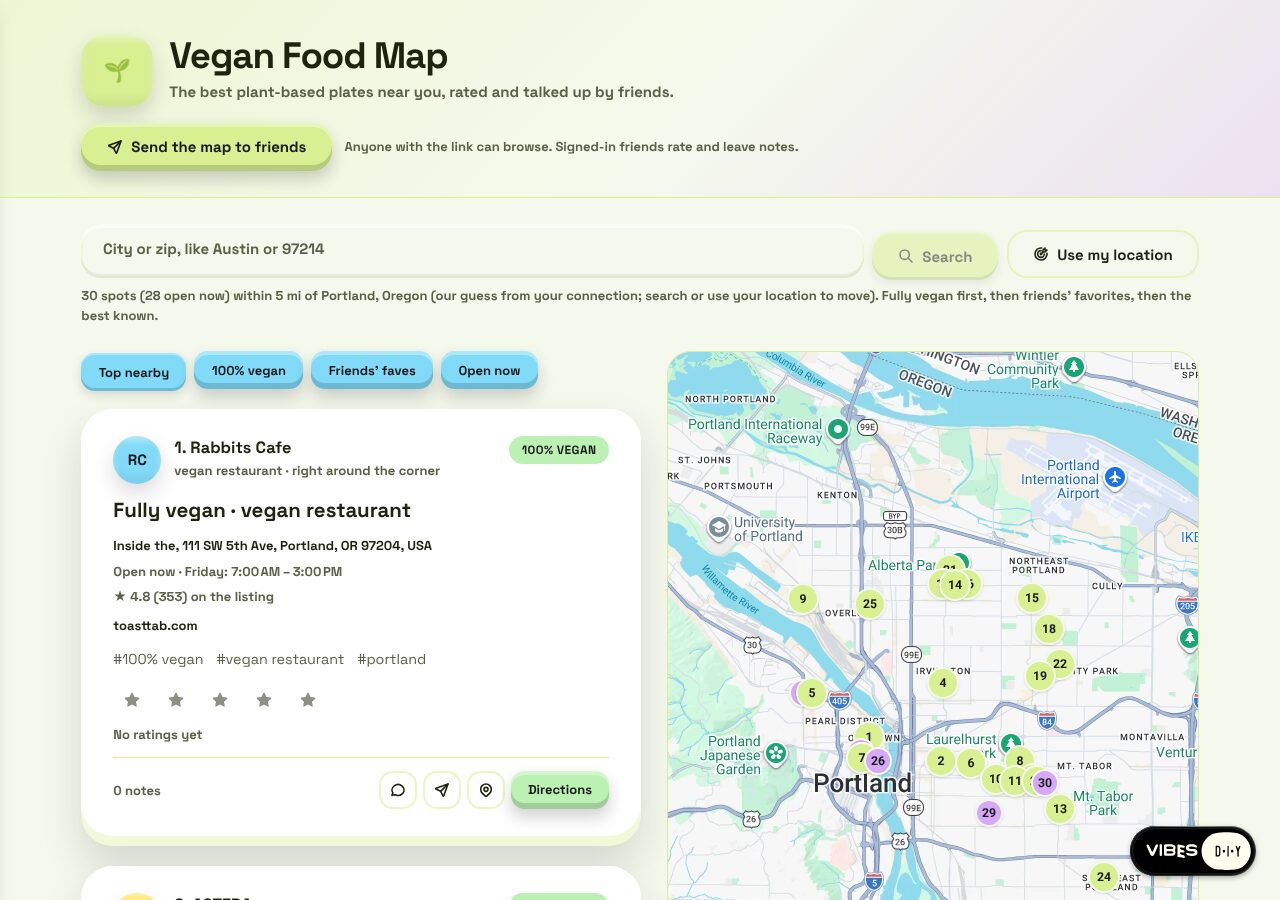
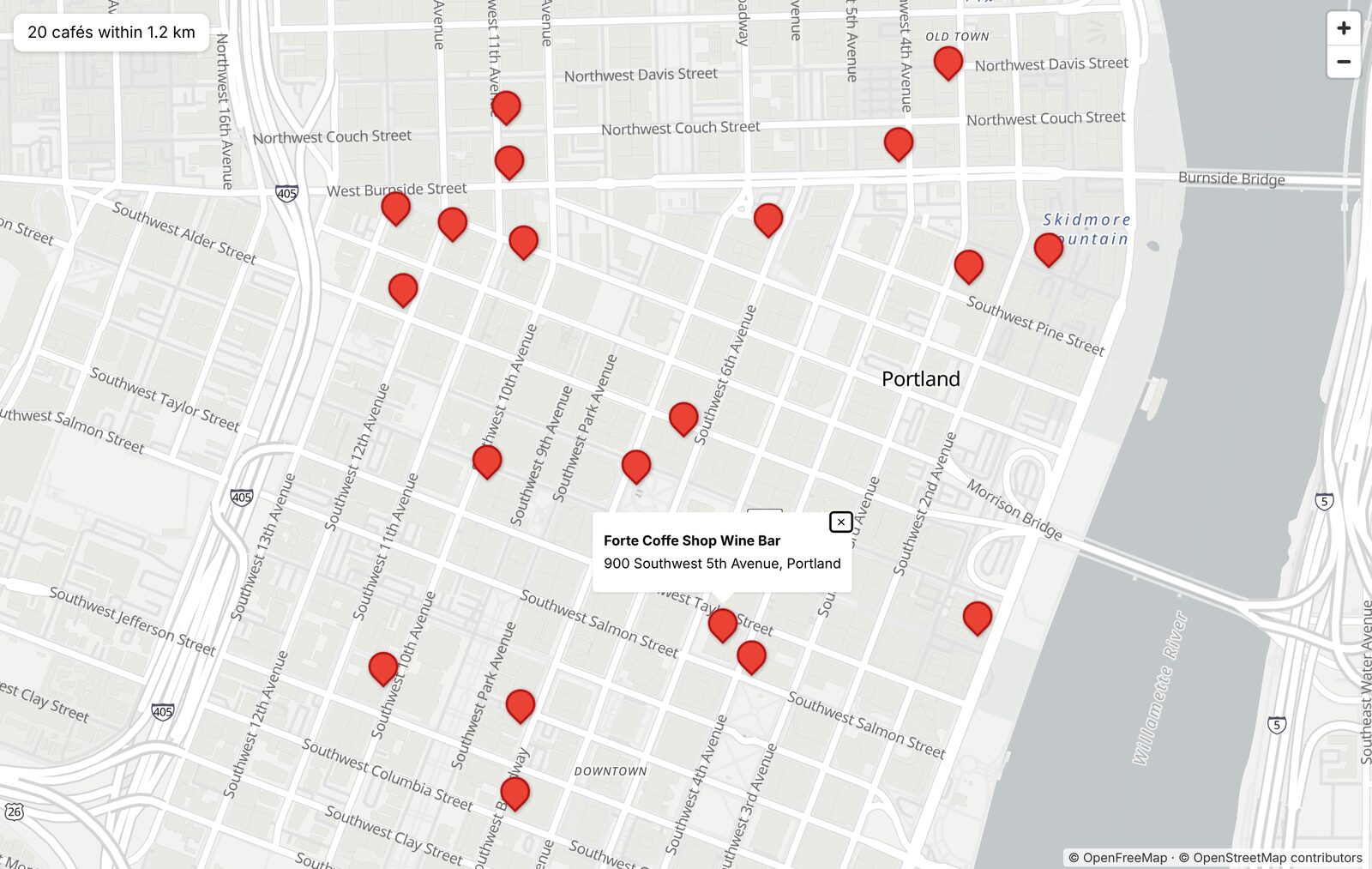
Which map a viewer sees is decided once, when the page opens:
Get posts like this in your inbox
One email field. Real updates. No algorithm required.
- Signed in, with credits: Google Maps. A map costs 1 credit and a place search 7, from the viewer's own credits, the same way image generation does.
- Not signed in: Google Maps too, while the daily allowance the platform pays for lasts.
- Everyone else (out of credits, the day's allowance spent, or Google not loading): the free map. It costs nothing, and nobody has to sign in to see it.
You write nothing for any of this. The app asks for a map and some places, and the platform picks.
Make one
Start from a sentence about places people can walk or drive to:
Make a map of vegan restaurants near me that my friends can rate and leave notes on.
Or open the Vegan Food Map and remix it into the map your group wants: coffee you like in a new city, dog parks for the neighborhood list, the bakeries on a cycling route. The free map knows restaurants, cafés, bakeries, bars, parks, dog parks, playgrounds, museums, libraries, bookstores, groceries, pharmacies and gyms, and it reads diet words, so "vegan bakery" finds bakeries that say so on OpenStreetMap.
Take the free map with you
The free map is now its own open library, VibesDIY/google-maps-shim, under the Apache 2.0 license. It stands in for Google's own loader, @googlemaps/js-api-loader, so you write ordinary Google Maps code, the kind every tutorial shows. Give it a Google key and it runs on Google, on your key. Leave the key out and the same code draws MapLibre on OpenFreeMap tiles, with Place.searchNearby answered from OpenStreetMap, straight from the browser.
On any web page, one import map line is the whole setup:
html<script type="importmap">
  { "imports": { "@googlemaps/js-api-loader": "https://cdn.jsdelivr.net/gh/VibesDIY/google-maps-shim@main/dist/google-maps-shim.js" } }
</script>
<script type="module">
  import { setOptions, importLibrary } from "@googlemaps/js-api-loader";
  setOptions({ v: "weekly" }); // add your key: "AIza…" to run on Google
  const { Map } = await importLibrary("maps");
  const { Place } = await importLibrary("places");
  // …the rest is Google Maps code
</script>
The café map above is the library's example page, about fifty lines with no key and no server. The README lists what the free map covers: maps, markers, info windows, bounds and both place searches.
That library is the code every Vibes DIY map app runs on. Our own copy publishes to the open repo on every change, so when we teach the free map a new kind of place, your page gets it too.
Maps in your app
Ask for places near you and your app draws a street map that every viewer can open.
Read the maps reference →