
A to-do list you share with your agent
An AI assistant is good at noticing work. It reads an email and sees that a refund is owed. It finishes a research thread and knows there are three things you should do next. It hears "I'll deal with the internet provider next week" and understands that is a task.
Then the conversation ends, and all of that lives in one chat transcript. The next session repeats the research, forgets that the refund was already requested, files a second reminder for the same thing, or reads "I submitted the form" as "the problem is solved."
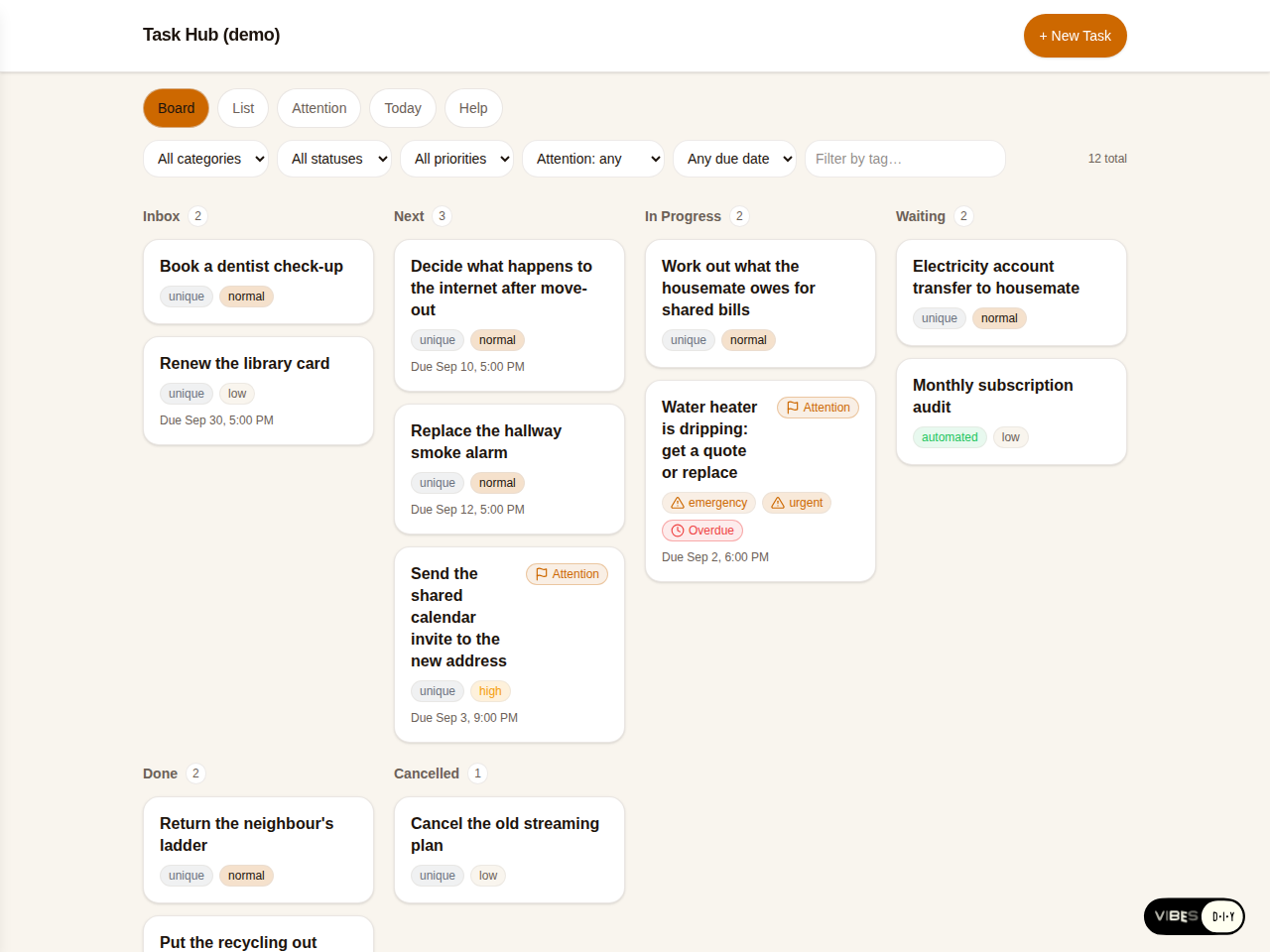
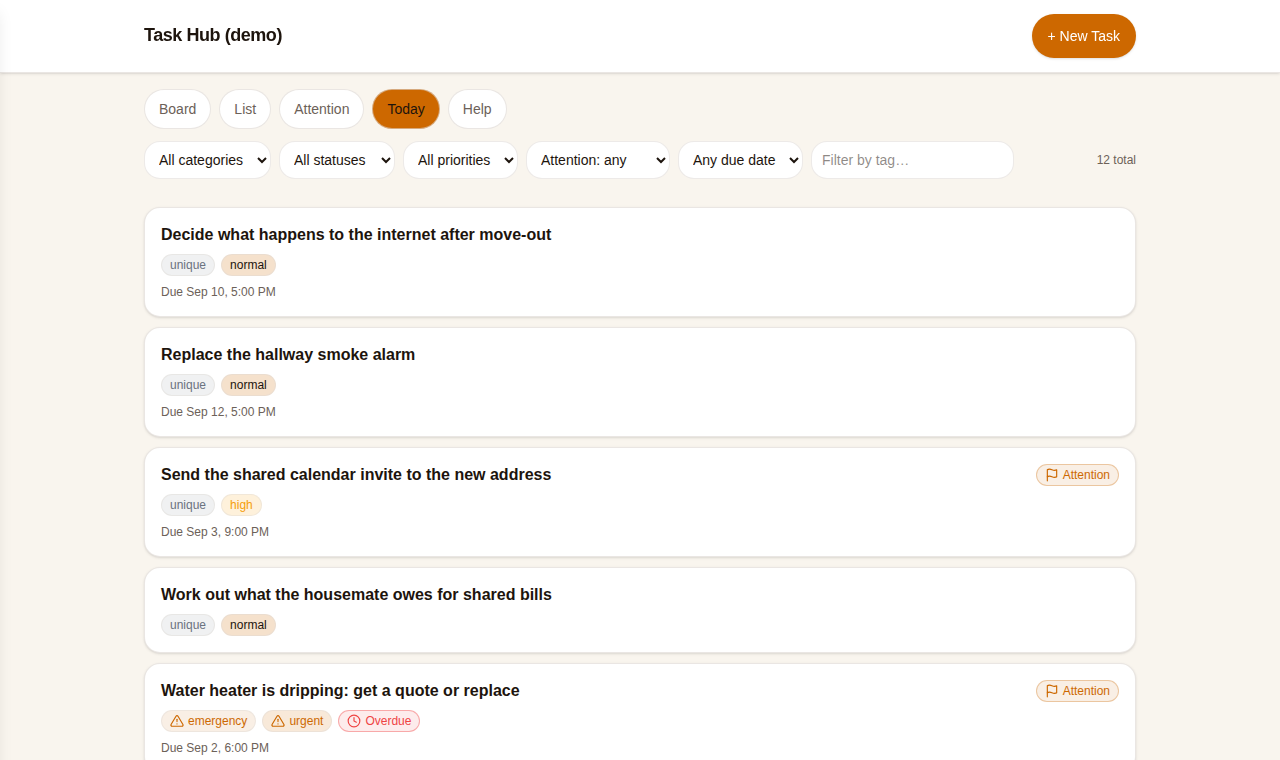
One of our users got tired of this and fixed it with a Vibes DIY app. Not a big one. A task board with an inbox, a Today view and an Attention view. What makes it interesting is who uses it: the person looks at the board, and their assistant reads and writes the exact same records underneath. The board is the system of record for household, admin and recurring life tasks. GitHub Issues stay for code. Neither list has to pretend to be the other.
They wrote up how it works so we could share it. Names, amounts and providers below are invented. The pattern is theirs.
The board you see is the database the agent uses
The app is an ordinary vibe: a small board with cards, a few filters, a status per card. What turns it into a shared surface is the Claude connector, which lets an assistant list your apps, read the documents inside them and write new ones, as you, with your account's permissions.
So the agent never has its own copy of your task list. When an email changes the state of three tasks, it queries the app for those three records, updates each one, and reads them back. When you open the board on your phone, you see what it did. When you drag a card to "done", the agent sees that on its next turn.
What a task looks like
Each task is one document with a stable, readable id and the same fields every time:
Get posts like this in your inbox
One email field. Real updates. No algorithm required.
json{
  "_id": "replace-hallway-smoke-alarm",
  "type": "task",
  "title": "Replace the hallway smoke alarm",
  "description": "Known: the unit chirps every ~40s and is dated 2016.\nSource: owner, in chat.\nUnverified: whether the landlord covers it.\nDone when: new alarm fitted AND tested with the button.\nNext: ask landlord; if no reply by Friday, buy one.",
  "status": "next",
  "priority": "normal",
  "attention": false,
  "attentionReason": "",
  "dueAt": "2026-09-12",
  "recurrence": null,
  "source": { "system": "conversation", "url": null, "externalId": null },
  "tags": ["home"],
  "createdAt": "2026-09-03T18:02:11Z",
  "updatedAt": "2026-09-03T18:02:11Z",
  "completedAt": null
}
The design choice worth copying is the description. It is not a note. It is an operational record that separates five things: what is known, where that came from, what is still unverified, what has to be true before the task counts as done, and the specific next action. That structure is what stops an agent from turning "someone said they submitted a request" into "the change is complete."
The status vocabulary is deliberately small:
inbox: captured, not yet triaged.next: ready for you to act.in_progress: being worked.waiting: blocked on a person, a provider, an event or a billing cycle.done: the completion conditions were verified.cancelled: dropped on purpose.
Priority is a separate field, so a task can be urgent but waiting, or low
priority but doable right now. And attention is separate again. It is set only
when you need to notice, decide, approve or supply something, and
attentionReason has to say what. That is what keeps the Attention view from
becoming a second inbox.
The rules that make it stick
The clever part is not the app. It is a short set of rules the user keeps in their repository, where every new assistant session reads them before doing anything. Paraphrased:
- The task hub is the system of record for personal tasks. Never leave task state only in chat, email, a note, a browser tab or the agent's memory.
- Before creating a task, query for an existing one. Update it if it is the same outcome.
- Read the whole document before writing it back. Change only the intended fields, keep everything else, bump the timestamp, then read it back and check.
- Record the change before telling the person it is done.
- GitHub Issues is for engineering work on the automation itself. Nothing else goes there.
Because a put replaces the whole document, that read-modify-write step protects the fields nobody was thinking about: recurrence, provenance, tags, automation settings. And because ids are stable and descriptive, a retry after a dropped connection hits the same record instead of making a twin.
None of this is conversational memory. A fresh session does not have to remember where tasks live or how updates work. It reads the rules and the board, and picks up mid-stride.
One email, three tasks
Here is the kind of thing the setup is for. Say a message arrives from a housemate who is moving out:
Hi. I submitted the transfer request for the electricity account this morning. I haven't picked a new internet provider yet, so please leave that running for now. And use my other email for the calendar invite.
The agent reads it once and touches three records:
- Electricity account transfer moves from
inboxtowaiting. Notdone. The description gains "Reported submitted on the 3rd; not yet confirmed by the provider," and the completion condition stays: the next statement has to show the account under the new name. - Internet after move-out moves to
next, with a note that the service must stay on, and the next action is to price two alternatives so the decision is easy when the housemate is ready. - Send calendar access moves to
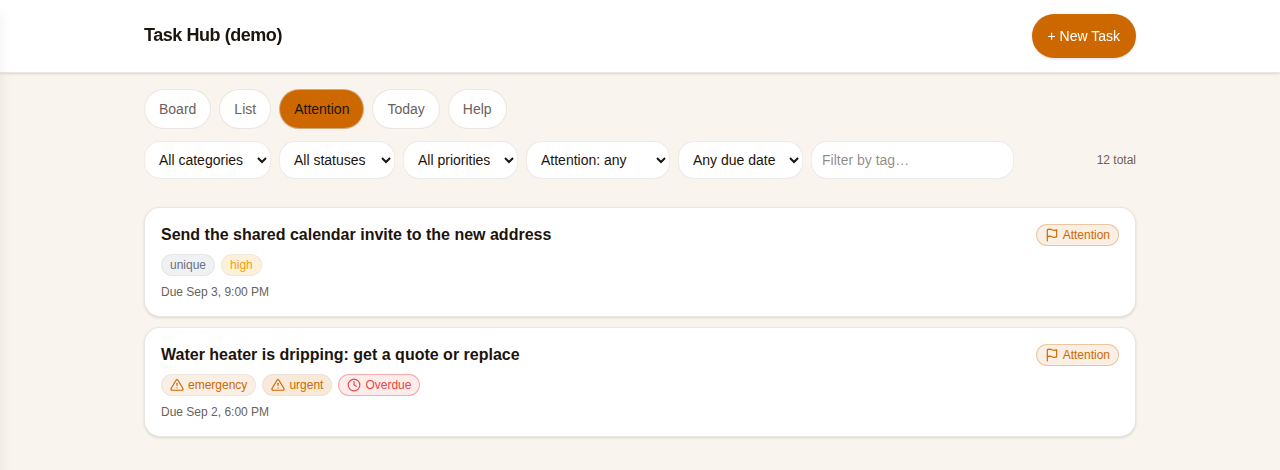
next, flaggedattention: truewith the reason "needs you to send the invite from your account." The agent cannot do that part, so it says so, in the field made for saying so.
Then it tells the person: three tasks changed, one needs you, here is the board. Not a paragraph reciting the email back.
Storing the policy, not just the task
The example the user was proudest of is a money one, because it shows what a durable description can hold.
When two people share a bill and one moves out, the naive move is to add up what was paid and split it. The task instead records the rule for working out the fair number:
- Count only the net cost the owner was never reimbursed for, over the period they were actually responsible.
- Exclude days already billed directly to the other person.
- Prorate a split billing cycle by days, or by the provider's usage data when there is some.
- Subtract refunds, reversals, credits and returned deposits.
- If two accounts were both charged for the same usage, chase a refund from the provider before treating it as a debt between people.
- Treat the bill dropping back to its ordinary monthly amount as a useful signal, not as proof.
- Share an itemised calculation before agreeing a repayment plan.
The task is not "work out what they owe me." It is "work out what they owe me, like this." Any session that opens it, including one six weeks from now, does the calculation the same way.
The app had to change, too
This did not arrive in one perfect generation. The user revised the Task Hub app several times as the way of working became clear: a status that turned out to be missing, a stricter rule for when a card may raise the attention flag, a provenance field that had to exist because an agent kept losing track of where a fact came from, the read-then-verify habit that needed a place to live.
They pointed out, fairly, that this is a product opportunity for us. When a person and their agent settle a convention through use, the app should notice. A new status the agent keeps writing, a field it keeps inventing, a check it keeps doing by hand: each is a proposal for a schema or interface change that Vibes could draft, preview and apply without the person opening the editor. Existing records would have to survive, and the change would have to be reversible, and there would have to be an approval step the person trusts. We think that is a good description of where this should go, and we are keeping it.
What worked, in their words
- One source of truth across chats and sessions.
- New information becomes structured state in seconds.
- Reported progress and verified completion are visibly different things.
- Stable ids make repeated runs safe.
- A small schema covers one-off, recurring and agent-automated tasks alike.
- The attention flag says exactly why a human is needed.
- Private life admin never leaks into the engineering backlog.
- The board can be redesigned without touching how the agent works.
Try it
The demo in the screenshots is live, seeded with the invented tasks above:
vibes.diy/vibe/jchris/blog-demo-task-hub.
It is read-only, so
remix it to get your own
copy under your own name. A remix copies the app, not the data, so your board
starts empty. Add a task or two by hand, connect Claude with the
connector, and then tell your assistant, in a place it
will read every time, that this board is where tasks live and that it reads
before it writes. From there the habit is the product: it queries before it
creates, reads the whole record before it replaces it, and moves a task to
waiting when someone says they did something, and to done only when the
task's own conditions say so.
Make the list your agent can't lose
Describe the board. Connect Claude. Stop repeating yourself.
Start building →